Operational software / 2026
SuhuLog
At the point of work.
In the monthly record.
A hospital laboratory temperature-logging system for QR-based entry, exception monitoring, auditable corrections, and official monthly exports.
Follow a reading ↓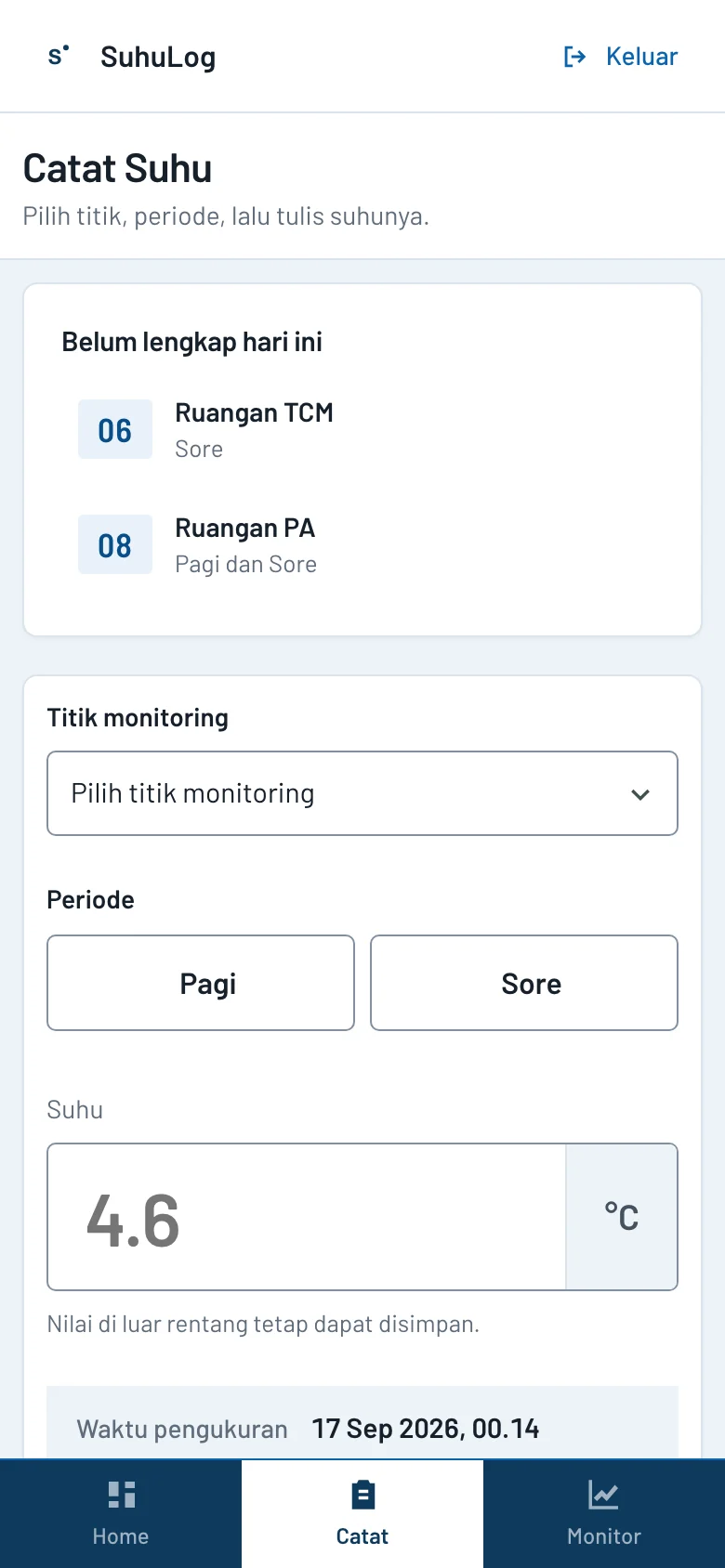
- Founder contribution
- Product design · full-stack engineering · release engineering
- Built with
- TypeScript · Node.js · Express 5 · SQLite · EJS · Chart.js · Nginx
Start with the work.
Manual refrigerator and room-temperature records had to become faster to capture without losing the laboratory's twice-daily slots, correction history, configured limits, or official workbook format.
Adjie designed, built, and released a focused web application that opens the correct monitoring point from a QR label and produces charts, Excel, PDF, and ZIP reports from the same effective records.
One reading.
Two working scales.
The phone captures the reading. The larger screen makes the month inspectable.
The right point, already resolved.
A QR label opens the entry form for one exact monitoring point.
Select a stage to inspect the workflow.
Workflow diagram · no scannable destination published
- 01
A QR label opens the entry form for one exact monitoring point.
- 02
Staff select Pagi or Sore; the server stamps the recording time. Each point, date and period has one effective ordinary record.
- 03
Configured ranges flag out-of-range readings without blocking or clamping them.
- 04
Corrections append a new record and supersede the prior value instead of overwriting history.
- 05
Monthly views, charts, Excel, PDF, and ZIP exports read the same stored records.
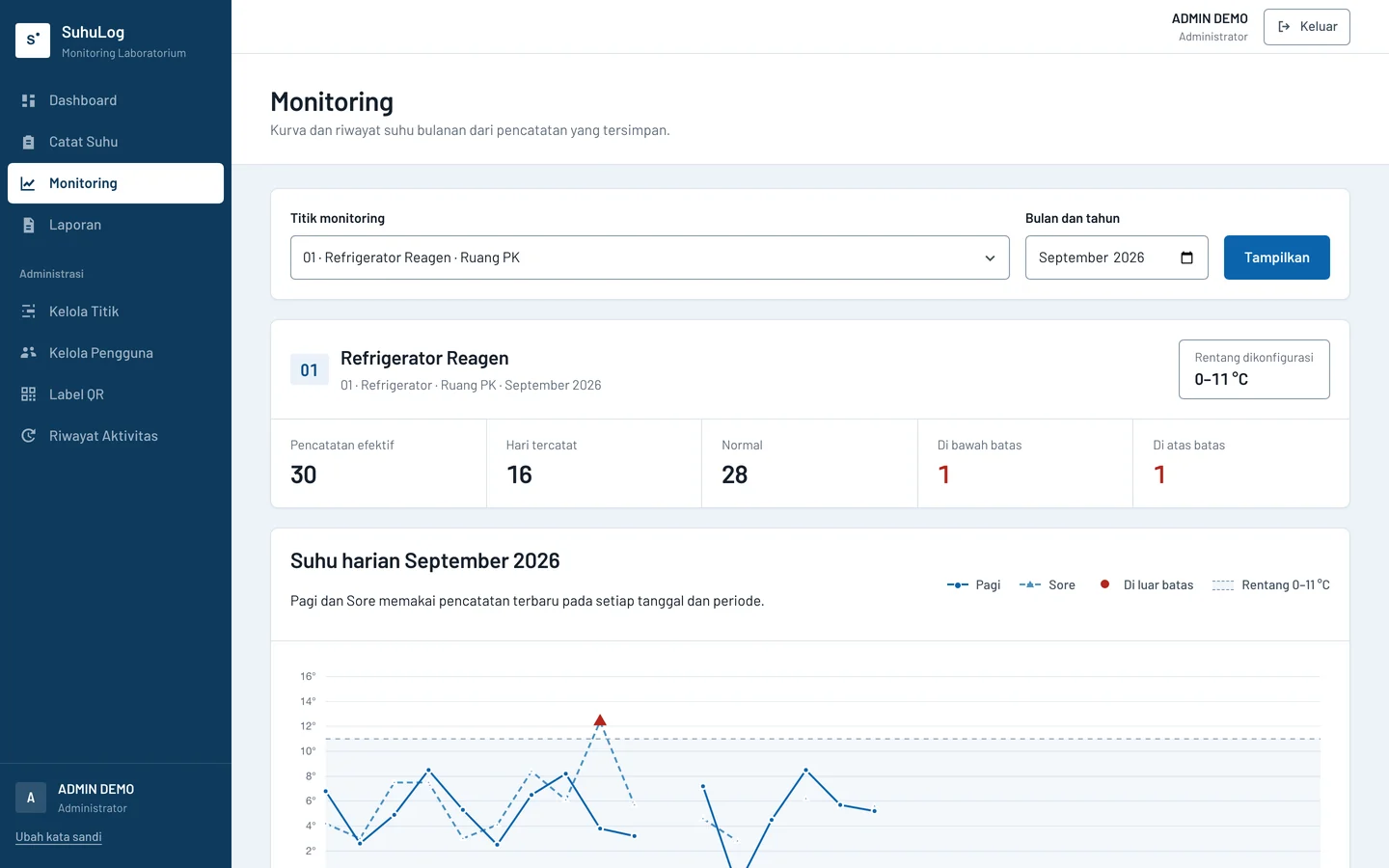
Read the month.
Keep the exceptions.
Configured limits provide context. An out-of-range measurement remains a measurement; it is never clamped into a reassuring number.
Correct the record.
Keep its history.
Corrections append a new record and supersede the prior value instead of overwriting history.
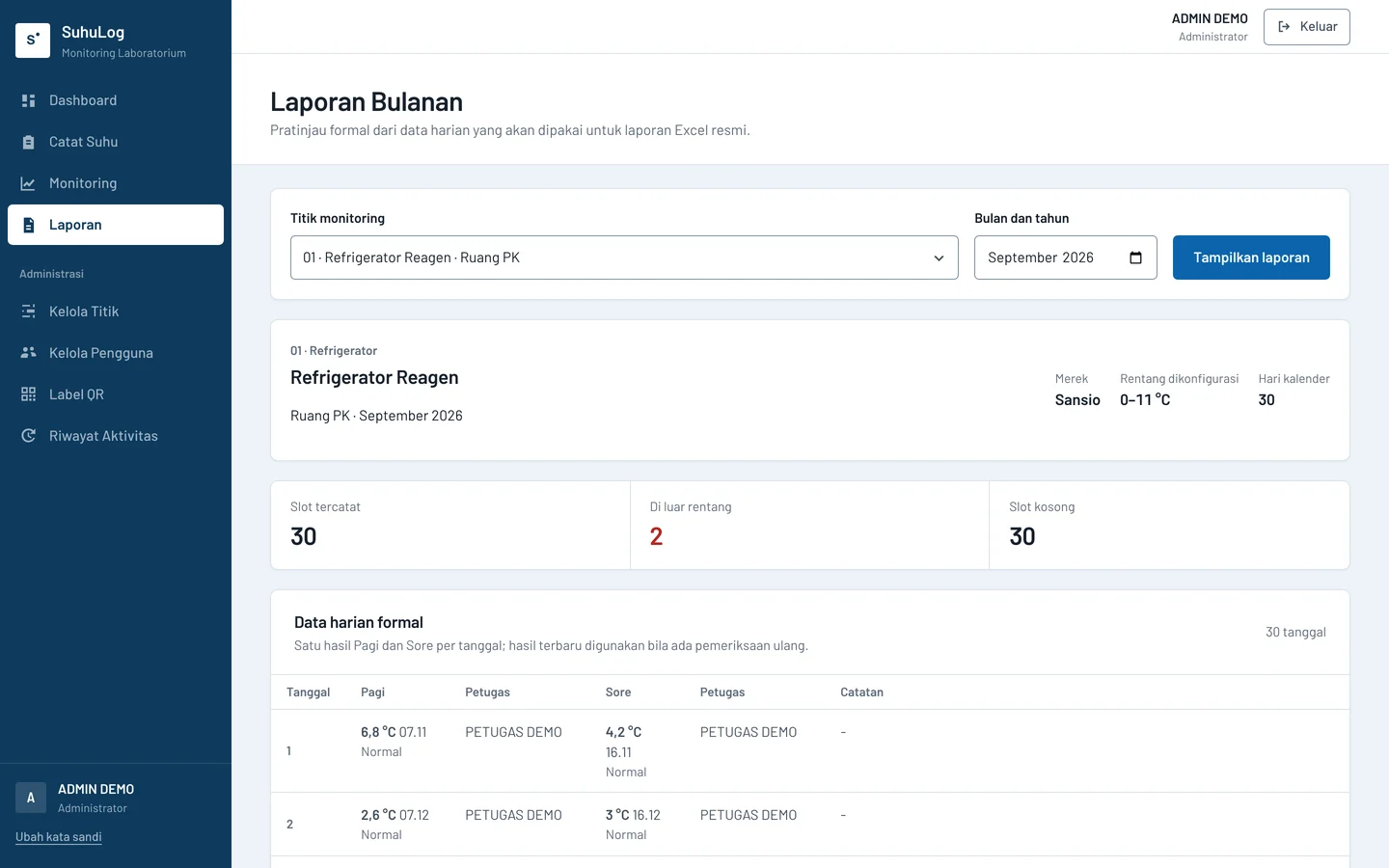
A report people can use.
Monthly views, charts, Excel, PDF, and ZIP exports read the same stored records.
The public record.
- Release
- v1.2.3
- Quality gate
- 276 automated tests
- Exports
- Official Excel · PDF · ZIP
- Operations
- HTTPS · systemd · verified backups